Easiest ways to scrape Google Business Reviews
Installing the extension takes less than a 10 seconds. Just download, extract, and load it into Chrome.
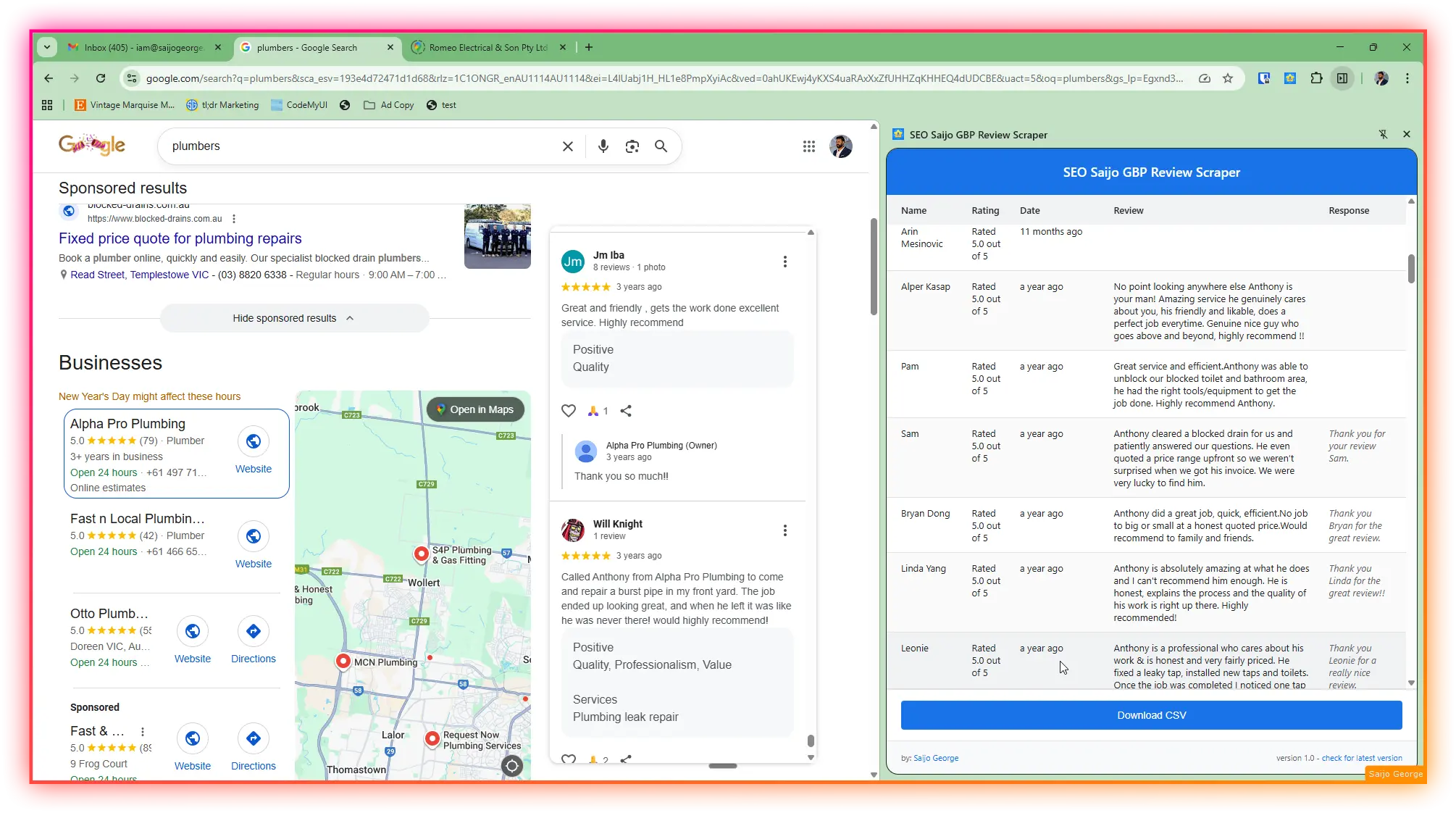
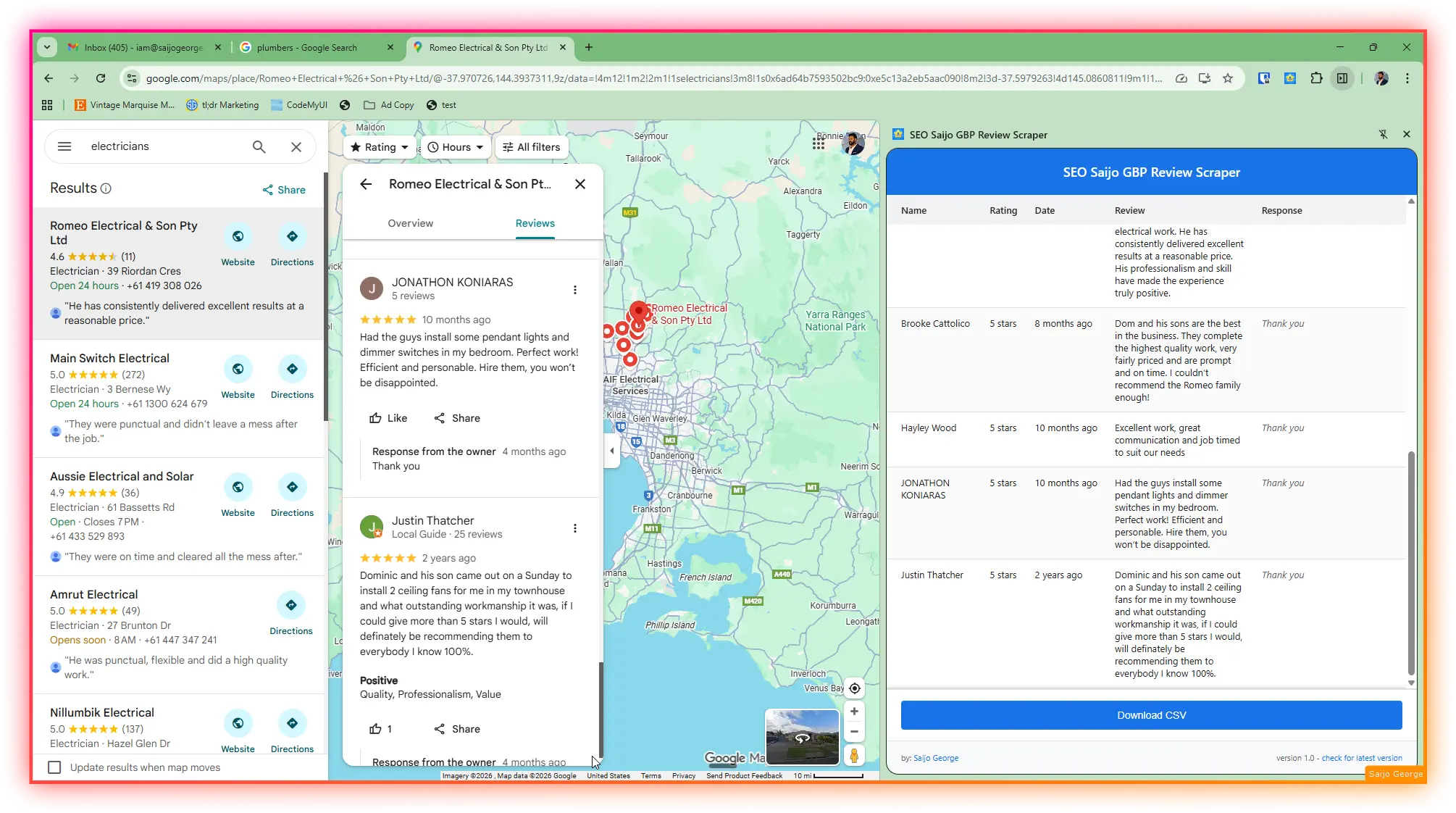
- 1 Navigate to any Google Business listing on Google Search or Maps
- 2 Click the extension icon in your toolbar
- 3 It will scrape all available reviews
- 4 Download your reviews as a CSV file
Built for SEO professionals
Whether you're analysing competitors, managing reputation, or building reports, this extension gives you clean, structured data in seconds.
- Real-time extraction
- Watch reviews appear as they're scraped
- CSV export
- Clean, structured data ready for analysis
- Side panel UI
- Non-intrusive interface that stays out of your way
- No need for GBP access
- Unlike other methods, this doesn’t require access to fetch the data.
Complete review data
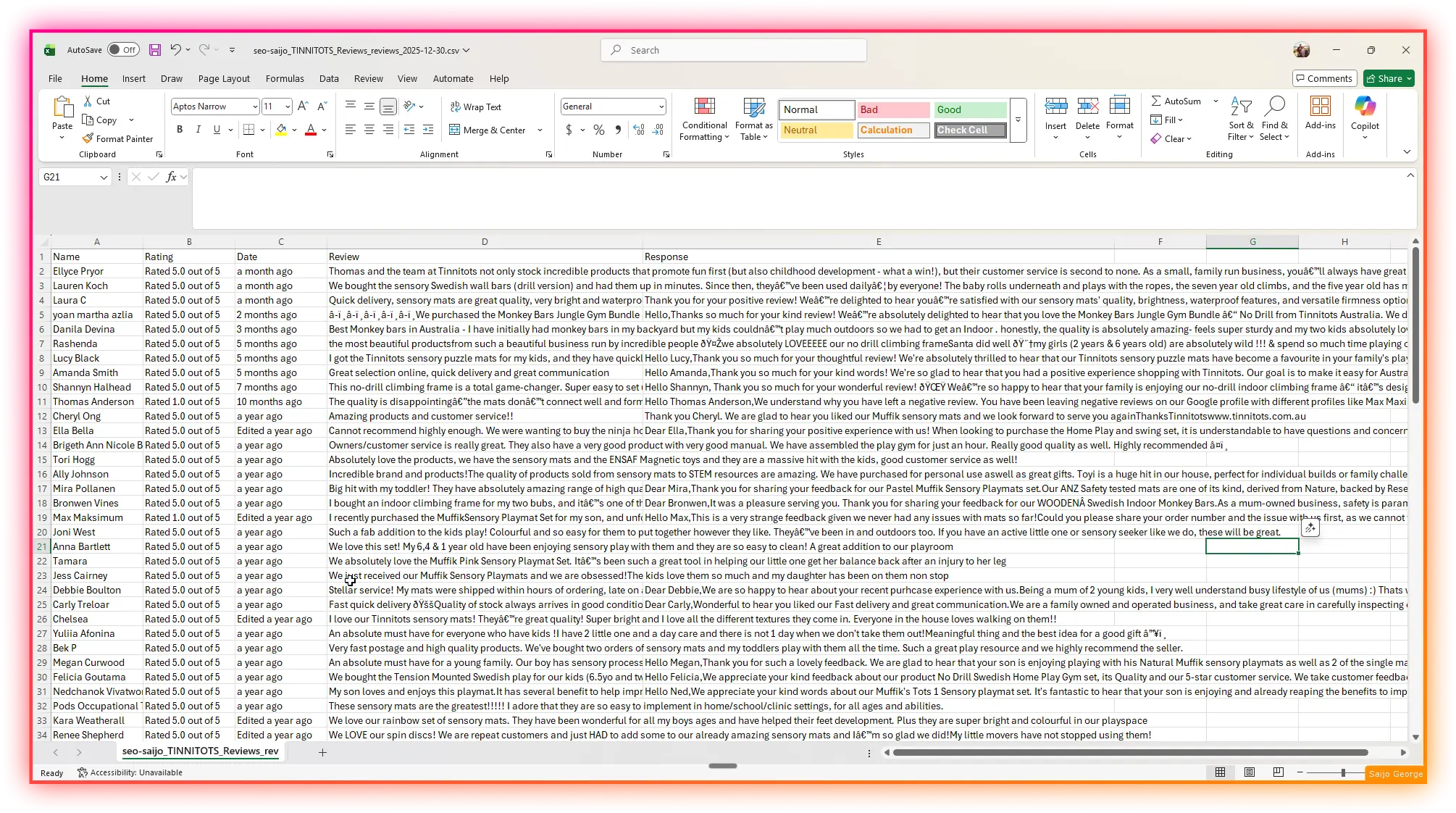
Every CSV export includes five essential columns that capture the full review context.
- ✓ Name – Reviewer's display name
- ✓ Rating – Star rating (e.g., "5 stars")
- ✓ Date – When the review was posted
- ✓ Review – Full review text
- ✓ Response – Business owner's reply (if any)
Reviews are competitive intelligence hiding in plain sight
Here's the thing most people miss: GBP reviews aren't just social proof. Every single review tells you exactly what worked, what didn't, and what customers wished existed. Multiply that across your competitors and you've got something way more valuable than any market research report.
- ✓ Discover what customers consistently praise about competitors
- ✓ Find weaknesses and unmet needs you can capitalise on
- ✓ Copy the exact language customers use into your marketing
- ✓ Spot when competitors stumble before they realise it
Skip the soul-destroying manual work
The manual way is clicking through each competitor's profile, copying reviews one by one, pasting into a spreadsheet. It's tedious. This extension does it all with one click, giving you a clean CSV ready for analysis.
- One-Click Extraction
- Click the extension, watch the reviews load into your side panel
- Real-Time Progress
- See exactly how many reviews have been scraped as it runs
- CSV Export
- Download everything in a format ready for Excel or Google Sheets
- Works Everywhere
- Google Search, Maps, and Knowledge Graph panels
What you can actually do with this data
Once you've got the reviews in a spreadsheet, the real work begins. Feed them into an AI tool for sentiment analysis, sort them into piles (happy, neutral, frustrated), and start spotting patterns.
- ✓ Sentiment analysis: Find what customers love and hate, then use those insights to shape your operations and marketing
- ✓ Timing patterns: A sudden spike in negative reviews means something changed. Spot when competitors stumble
- ✓ Voice of customer: Copy the exact words customers use into your ads and landing pages